
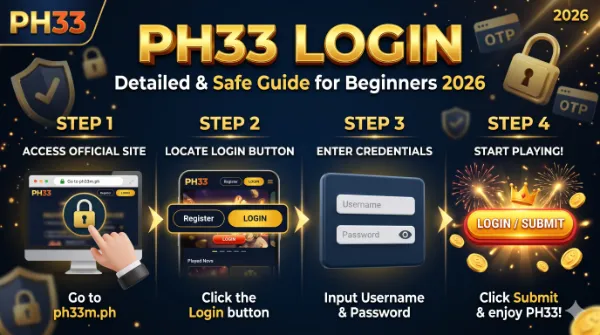
Online entertainment is growing rapidly with new platforms launching every day. Completing your PH33 login properly is the essential first step toward accessing a diverse game catalog and premier player services. This guide provides a clear step-by-step login walkthrough, practical fixes for common connection issues, and essential security tips tailored for the PH33 community.
Why Choose to Experience PH33?
Before diving into the account access steps, here is a quick look at the standout strengths that draw thousands of members to the platform every day:
- Optimized Interface: Modern design and fast loading speeds across both web browsers and mobile apps, tailored to local user habits.
- Multi-Layered Security System: Powered by advanced 128-bit SSL encryption to ensure personal details and transaction records remain completely confidential.
- Rich Game Catalog: Full access to major entertainment lobbies—from Sportsbook and Live Casino to high-payout Slots with competitive return rates.
- 24/7 Customer Support: Dedicated support specialists ready to answer questions around the clock across convenient communication channels.
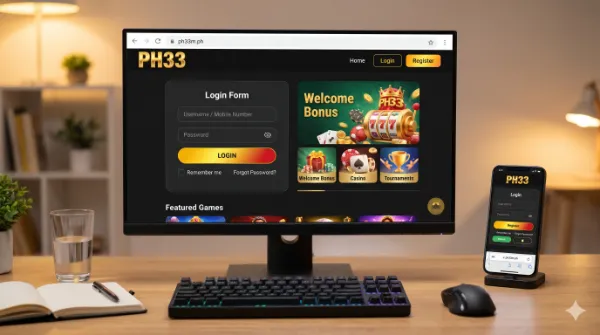
Accurate 3-Step PH33 Login Process Across All Devices
To ensure smooth access without any hiccups, simply follow these 3 basic steps:
Step 1: Visit the Official PH33 Link
Open your web browser (Chrome, Safari, etc.) and enter the official homepage URL: https://ph33m.ph/ of the platform. Because imitation sites occasionally appear to phish login credentials, always double-check the domain name and browser padlock icon or use verified backup links provided by official channels.
Step 2: Enter Your Account Credentials
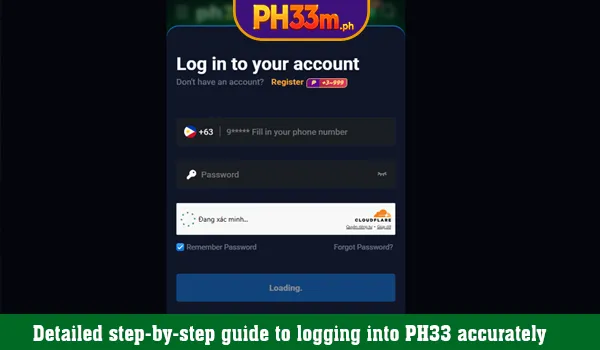
Click the Log In button in the upper-right corner of the homepage. A login form will appear requesting the following details:
- Username: Enter the exact username you created during registration.
- Password: Type your matching password carefully (check that Caps Lock and any special keyboard input modes are turned off to avoid character errors).
- Verification Code (Captcha): Enter the digits or characters shown beside the input box so the system can verify human access.
Step 3: Submit & Check Your Account Status
After reviewing your entered credentials, click the Log In confirmation button below the form. Once verified, the system automatically redirects you to the main lobby within 1 to 2 seconds, where you can top up your balance and start exploring.
How to Fix Common PH33 Login Issues
Occasionally, players may experience minor interruptions when signing in. Below are the most common causes and the fastest ways to resolve them:
- Forgotten Password: Avoid entering an incorrect password more than 5 consecutive times, as the system will automatically trigger a temporary security lock. Instead, click Forgot Password directly beneath the PH33 login box and follow the recovery prompts via your linked mobile number or email.
- Unstable Internet Connection: Weak Wi-Fi or fluctuating mobile data can cause pages to time out. Switch to a stronger network or toggle Airplane Mode / restart your device before trying again.
- ISP Access Restrictions: Occasionally, internet service providers in the Philippines perform routine domain filtering. The easiest solution is to download the official PH33 mobile app onto your device or connect using a trusted VPN service.
- Scheduled System Maintenance: If you cannot log in during an announced maintenance window, simply wait a short while until the technical team completes server upgrades.
Mastering the PH33 login process alongside basic account safety habits ensures a smooth, worry-free entertainment experience every time you sign in. Visit the official PH33 homepage today to log in, explore premier game lobbies, and claim the latest member promotions waiting for you!
